
Esplanda POS
The register, with restaurant inventory, usage forecasts, supplier orders, invoice scanning and food cost by dish. The migration and 30 days of parallel running come with it.
$0 free, with no card needed to start
Restaurant inventory
Esplanda forecasts what your kitchen and bar go through, writes each supplier order, checks every delivery from a photo of the invoice and keeps your dish costs current.
Inventory, forecasting, purchase orders and invoice scanning are part of the free Esplanda POS: no monthly fee, no setup fee, no contract. See Esplanda pricing.
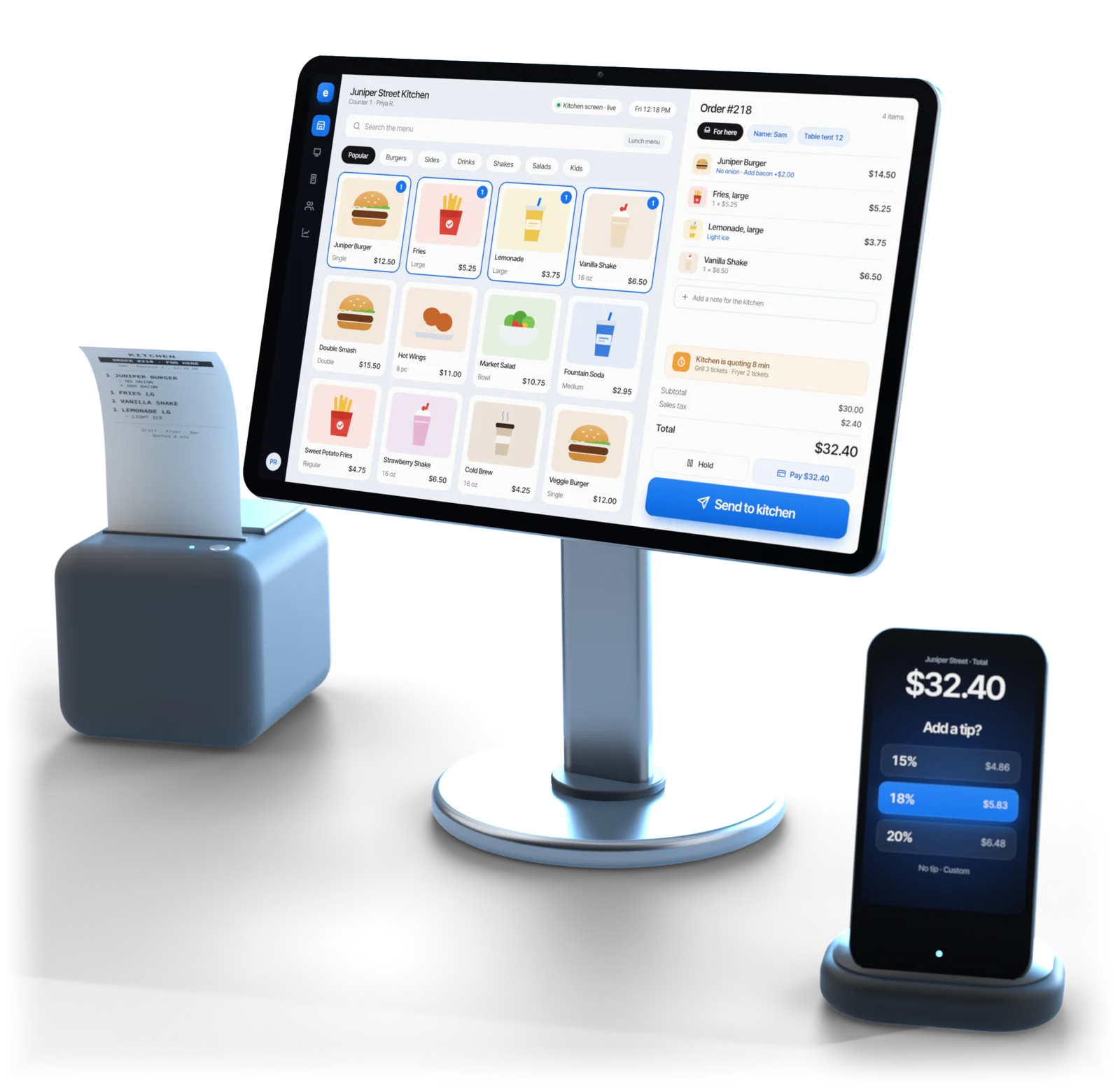
Illustrative example
In short
Esplanda is restaurant inventory software for counter-service restaurants, cafes, bars and taprooms. It forecasts what you'll go through from what you sold, builds each supplier order around the cut-off and minimum, checks every delivery from a photo of the invoice and keeps dish costs current.
It is part of the free Esplanda POS, with no setup fee, no contract and no per-user fees. Keep the register you have, or use ours: a connected register stays at the counter with no change for staff.
What it does
A par sheet guesses. Esplanda starts from this week's sales and this week's invoices.
Esplanda forecasts what you'll go through from what you sold, item by item. Perishables are forecast from demand, not an old par level, and forecasts start from your first two to four weeks of sales. More on demand forecasting software.
Each supplier's cut-off time, minimum, case pack and delivery days are applied before the draft reaches you. You approve the order in one tap.
Photograph the invoice and Esplanda flags short deliveries you paid for, prices that went up without a call and items you never ordered.
The price you actually paid flows to every dish that uses that ingredient, and the dishes that crossed a margin line are flagged with a suggested price.
Count one category with a phone or tablet while you stay open. The count writes back to stock, so the next order starts from a number somebody checked. See inventory management software.
Take an item off and it goes dark on your website, and on DoorDash and Uber Eats with Marketplace Connectivity, at the same time.
Inventory is one part of the back office for a counter-service kitchen; the rest is on restaurant management software.
01Purchasing
Most stock tools stop at “you're low on this.” The hard half is an order your supplier will accept, timed to the day they deliver.
How each draft is built, step by step: purchase order software.
02Deliveries and food cost
Photograph the sheet the driver hands you. Esplanda reads every line, matches it to your order and shows you only what disagrees, while the driver is still at the back door.
Line by line, from photo to stock: invoice scanning software.
Built for
One catalog for the food you cook and the drinks you pour, built for counter service, where a ticket fires the moment the order is complete.
Buyer’s checklist
Six questions to ask any restaurant inventory management software before you switch, and what Esplanda does for each one.
Esplanda forecasts from your own sales, item by item, with perishables forecast from demand, not a par level.
Esplanda applies each supplier's cut-off, case packs and minimums before a draft reaches you.
Esplanda shows only the invoice lines that disagree with the order, and keeps every credit open until the credit note arrives.
In Esplanda, the price you paid this week flows to every dish that uses the ingredient.
Rolling counts beat a full stocktake after close. Esplanda picks the slice each day, and the gaps it finds are ranked in dollars.
You, or the limits you set. Esplanda sends an order on its own only inside your maximum order value, weekly ceiling and approved suppliers.
What it costs
Forecasts, supplier orders, invoice scanning, counts and food cost come with the free register. Paid tools are priced on their own, per location per month.
The register, with restaurant inventory, usage forecasts, supplier orders, invoice scanning and food cost by dish. The migration and 30 days of parallel running come with it.
$0 free, with no card needed to start
DoorDash and Uber Eats menus, prices, availability and hours kept from one catalog, for restaurants doing $2,000 a month or more on the apps. Places that sell alcohol are offered it after legal review.
$69 per location per month
Multi-location software is free on every location that processes with Esplanda, and $49 a month on a location that does not.
$0 on a location that processes with Esplanda
Email and chat support free · No setup fee · No contract · No per-user fees · Every line on Esplanda pricing
Questions
Restaurant inventory software tracks the food and drink you buy, keeps stock current as you sell, receive and count, and turns it into supplier orders. Esplanda forecasts what you'll go through from what you sold, builds each supplier order, checks every delivery from a photo of the invoice and keeps dish costs current, free in Esplanda POS.
It forecasts what you'll go through from what you sold, builds each supplier order around the cut-off and minimum, and checks every delivery against the order from a photo of the invoice. You approve each order in one tap, or let it go out inside the value cap and approved-supplier list you set once. Counts on a normal day keep stock on hand true, so the next order starts from a number somebody checked.
Nothing. Inventory, demand forecasting, purchase orders and invoice scanning are part of the free Esplanda POS, with the migration and 30 days of parallel running, no setup fee, no contract and no per-user fees. Paid tools are priced on their own, per location per month, on the Esplanda pricing page.
Yes. Keep the register you have, or use ours. A connected register stays at the counter with no change for staff, and Esplanda reads its sales, with new items paired in a matching queue. Esplanda POS is free and is the more accurate path, because sales and stock share one record.
From your supplier invoices. Photograph the delivery sheet and Esplanda reads it, then applies the price you actually paid to every dish that uses that ingredient. When a cost moves, the dishes that crossed a margin line are flagged with a suggested price, and a price move near your margin floor always waits for you.
Receive what arrived and leave the rest open. Esplanda adds the delivered quantity to stock, keeps the missing lines open on the purchase order and opens a credit for anything you were charged for but didn't get. If the supplier cancels the balance, the shortfall goes back into your next draft order.
Start free today, or book a demo and we'll draft a first supplier order for a restaurant like yours.
Esplanda POS and your website are free to start, with no card needed. Add paid tools only when you want them.