
POS integrations
POS integrations for the register you already have
Keep your Square, Clover, Lightspeed or KORONA register and staff routine; Esplanda connects its sales to your stock, ordering, prices and marketing.
Esplanda POS and your website are free to start, with no card needed. Add paid tools only when you want them. Nothing installed on the terminal.
See Esplanda pricing and how Esplanda works.
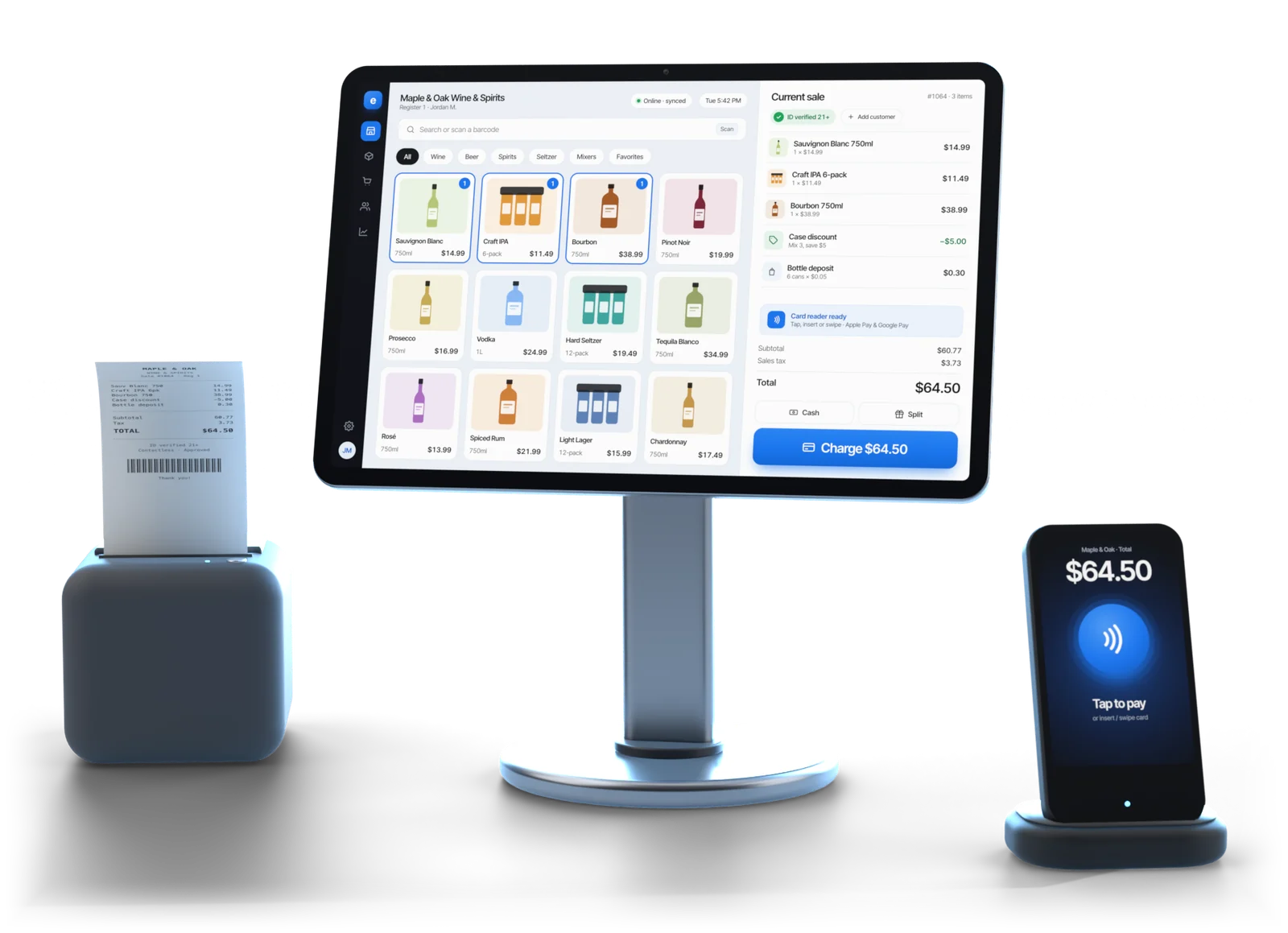
Illustrative example
Which registers connect, and what syncs
Whether it's a Square POS integration or a KORONA one, all four connections carry sales, stock and the catalog. They differ mainly in customer data.
| Register | Sales and stock | Catalog | Customers |
|---|---|---|---|
| Square | Yes | Yes | Yes, where the account holds them |
| Clover | Yes | Yes | Yes, where the account holds them |
| Lightspeed | Yes | Yes, including variants | Yes |
| KORONA | Yes | Yes | Where KORONA shares them |
| Esplanda POS | Built in, one catalog | Built in | Built in, nothing to match |
Card data: never
Esplanda reads the sale, not the card. Your register keeps approving and settling with its own processor.
Nothing installed on the terminal
You sign in to your register's account from POS Settings and grant read access.
Register not on this list? Move to Esplanda's own POS system with inventory management, which is free, with one catalog from day one.
Put to work
What the connection lets Esplanda do
With sales, stock and the catalog coming across every day, the rest of Esplanda runs on your register's own numbers.
Ordering
Run-out warnings, and purchase orders drafted from what actually sold, ready to send in one tap. See our purchase order software.
Stock and margin
Stock-outs predicted, dead stock found and margin worked out by item. More in our retail inventory management software.
Prices and customers
Your catalog is what competitor price tracking matches against, and customer records drive win-back offers and loyalty.
Connecting
How to connect your register to Esplanda
The connection takes minutes and the matching pass takes a few hours. Plan on about two days to be fully connected.
Setting up, once
Minutes
Authorize the connection
In Esplanda's POS Settings, sign in to your register's account and grant read access.
Minutes
Esplanda pulls your data
The catalog, current stock and recent sales history, so forecasts start on day one.
A few hours, once
Run the matching pass
Esplanda proposes a match for every item. You confirm or correct the ones it flags as uncertain.
Then, ongoing
Every night
Set the nightly check
Choose the window and who gets the exception report, so gaps show up the next morning.
A few minutes a week
Keep the match queue clear
New items wait there until they're matched.
Connect or switch
What a connection costs in ongoing work, and when to switch
Keep the register you have, or use ours. A connection keeps two catalogs in step with three routine jobs; Esplanda POS runs on one catalog and needs none of them.
- The first matching pass. Esplanda proposes most matches and you confirm the rest. For a few thousand items, a few hours, once.
- The standing match queue. Every new item rung at the counter lands in the queue for you to pair, so it joins your forecasts. A few minutes a week.
- The nightly reconciliation. Esplanda compares the two stock counts every night and reports the exceptions, and you choose the right number.
The more registers you run, the more that work adds up. Esplanda POS is free and needs none of it.
Illustrative example
Connect
If switching would disturb something that works
A register swap unsettles staff habits, ID-check routines and reporting at once. A connection changes nothing at the counter.
Switch
If you want one set of numbers
Esplanda POS sells offline, scans IDs and handles deposits, case breaks and mix-and-match deals on desktop, iOS and Android. See the liquor store POS system, and read about moving off a system rather than bridging to it.
Both, in order
Connect now, switch in a quiet month
By then Esplanda holds a matched catalog, and the match queue and nightly check stop when the old register comes off the counter. Several stores? See multi-location inventory management.
What else connects
POS integrations beyond the register
A POS integration is a connection that moves data between your register and the other software you run, so sales, stock and items are never typed twice. Esplanda's integrations start at the register and reach the rest of the store.
Your online store
Pickup, curbside and local delivery orders sell from the same catalog as the counter, so there is no second product list to keep. With Esplanda POS it is one stock count. See our POS with online ordering.
Delivery apps
For prepared food, one menu goes to your DoorDash and Uber Eats accounts: sold-out items come down on both, and every order lands in one queue. This is the Marketplace Connectivity line on Esplanda pricing.
Card processing
A connected register keeps its own processor. Esplanda also resells processing through First American Payment Systems, a Deluxe company: see credit card processing for small business, or work out your effective rate from one statement first.
Payroll and your bookkeeper
Staff scheduling hands clean hours and export-ready timesheets to the payroll provider you already use, and your bookkeeper gets profit, costs and the sales tax you're holding, in plain dollars.
Questions
POS integration questions owners ask
What is a POS integration?
A POS integration is a connection that moves data between your register and other software, so sales, stock and items are never typed twice. Esplanda's POS integration reads sales by item, stock levels and the catalog from Square, Clover, Lightspeed or KORONA, plus customer records where the register shares them, and runs ordering, pricing and reports on them.
Which POS systems does Esplanda integrate with?
Square, Clover, Lightspeed and KORONA. Esplanda reads sales by item, stock levels and the product catalog from each, plus customer records where the register shares them. Nothing changes at the counter and nothing is installed on the terminal, so staff keep ringing sales exactly as they do today.
What data flows between my POS and Esplanda?
Sales by item, stock levels, the product catalog, and customer records where the register makes them available. That is enough for Esplanda to forecast run-outs, work out margin, report profit, and draft purchase orders and campaigns for your OK. Card data does not flow: Esplanda reads the sale, not the card.
How do I connect my POS to my website?
With Esplanda, your website and online shop sell from the same catalog as the counter, so there is no separate website integration to set up. On Esplanda POS it runs on one stock count; with a Square, Clover, Lightspeed or KORONA register, Esplanda keeps the catalog in sync, with a little matching work for new items.
How much does the Esplanda POS integration cost?
Esplanda POS is free, and you add only the paid tools you want, with no setup fee, no contract and no per-user fees. Current prices for every line are on Esplanda pricing. Keeping a Square, Clover, Lightspeed or KORONA register also costs a few minutes a week on the match queue and a nightly check; on Esplanda POS neither exists.
How long does it take to connect my register?
The connection takes minutes: you authorize it from POS Settings and Esplanda pulls the catalog, stock and sales history. The first matching pass takes a few hours for a few thousand items, once. Plan on about two days to be fully connected.
What is a product-matching queue?
It is the list of items that exist in one system and are waiting to be paired with their match in the other: with a third-party register, every new item rung at the counter lands there for you to match. Clearing it takes a few minutes a week and keeps forecasts and margins on your real numbers. Esplanda POS has no queue, because one catalog runs the register and everything else.
Can I start with the integration and switch to Esplanda POS later?
Yes. Connect first, watch Esplanda work for a season, then move the register in a quiet month. Esplanda already holds a matched catalog by then, so the switch is far easier than starting cold, and the match queue and nightly reconciliation stop when the old register comes off the counter.
Keep your register, run the rest on Esplanda
Start free today, or book a demo and we'll walk through a connection on a store like yours.
Esplanda POS and your website are free to start, with no card needed. Add paid tools only when you want them.
