
See the schedule
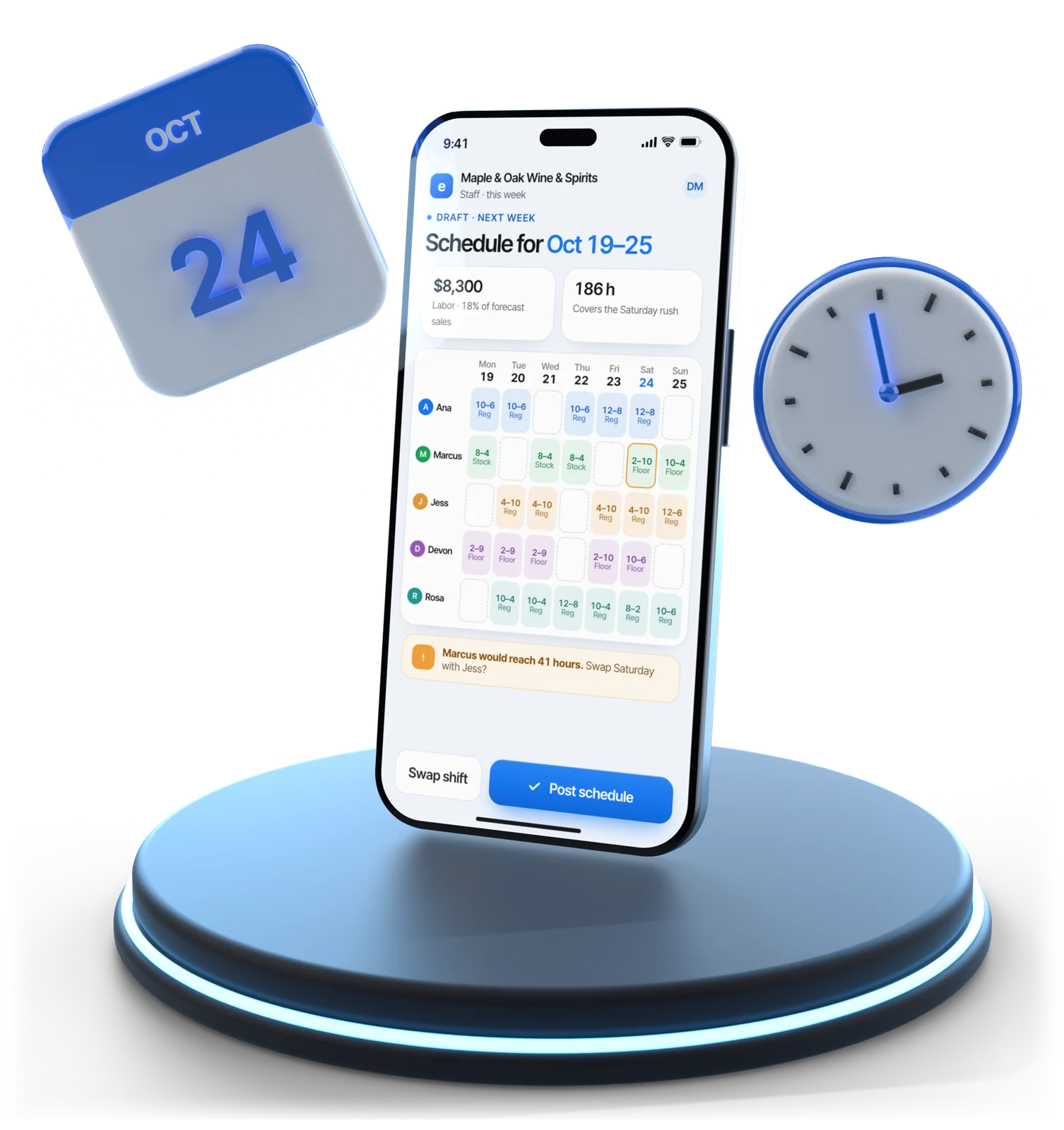
This week and next, on the phone, updated the moment a manager changes it.
Staff scheduling app
Shifts, clock-in, tasks with photo proof, swaps, translated messages, certifications and tips, on the phone your team already carries.
The staff app is part of Employee Scheduling & Attendance: $49 per location per month, with no charge per employee. See Esplanda pricing.
Illustrative example
In short
The Esplanda staff app is a retail scheduling app built for the people behind the counter, not the owner. Each person sees their shift, clocks in and out, closes tasks with a photo, swaps shifts, reads messages in their own language, tracks certifications and sees their tips.
It is the product five people use every shift, and adoption is measured in shifts, not logins. It comes with Employee Scheduling & Attendance at $49 per location per month, with no charge per employee.
Why it exists
The person who opens on Sunday isn't the person who bought the software. A clerk with eleven minutes before the doors open needs to know which cooler to face and whether their Thursday moved.
In the app
All seven happen today by text, by phone call or not at all.
This week and next, on the phone, updated the moment a manager changes it.
From the app, with breaks recorded, so hours are a record and not a reconstruction.
A task can need a photo before it closes: the faced cooler, the mopped floor, the stacked delivery.
Offer a shift, let an eligible colleague take it, and send the swap to a manager to approve. You stop being the switchboard.
A manager writes a shift note once; each person reads it in the language set on their own phone.
Modules completed and certifications held with expiry dates, including alcohol-server certification, warned before it lapses.
Tips recorded against their own shifts, in the same app they clock in with, before payday rather than after.
Two halves of one schedule
The owner builds the week and watches labor cost against sales. The team works the shift. One schedule, written for two different people.
| Staff app | Owner side | |
|---|---|---|
| Who opens it | Everyone on the schedule | The owner or manager |
| How often | Every shift | Once or twice a week |
| Main job | Work this shift | Build the week and cost it |
| Device | The phone in their pocket | The back office, or the owner's phone |
| Shift swaps | Requested here | Approved here |
| Labor cost against sales | Kept off the staff screen | The core report |
| Payroll | Hours, tips and approvals recorded | Clean hours sent to your payroll provider |
Building the roster and pricing it against forecast sales is employee scheduling software. The time clock, punch exceptions and the $49 line are on the time clock app for small business page. Approved hours feed demand forecasting software, so next week's schedule is built against expected demand.
One shift
Six moments, and none of them needs the owner in the building.
The shift is on the phone, with the manager's note, in the staff member's own language.
Clock in from the app, or at the register on our POS system with inventory management. Hours become a record, not a Friday reconstruction.
Tasks appear in order, and the ones that matter need a photo before they close.
A swap request for next Thursday goes to a colleague, then to a manager, with no call to the owner.
Clock out, see the shift's tips, and close the closing tasks with proof attached.
Approved hours land on the owner's side, ready for labor costing and your payroll provider.
Built for
The clerk, the stocker, the closer and whoever is covering Sunday.
Questions
The people behind the counter. It is the product five people use every shift, not the one the owner logs into once a week: the clerk, the stocker, the closer and the person covering a Sunday, on the phone they already carry.
They are two halves of one schedule. The owner's side builds the roster, prices it against forecast sales and approves hours. The staff app is what the team opens to see their shift, clock in, finish tasks, swap a shift and read a message.
Your payroll provider runs payroll. Esplanda is the record keeper, not a payroll bureau: it produces the clean hours, tips and approvals your provider needs, so the pay run starts from a record instead of a reconstruction. Esplanda prepares; your provider files taxes and pays your staff.
A task can require a photo before it closes. The cooler faced, the floor mopped, the delivery stacked: the staff member attaches the photo and the task closes with it on the record, instead of you asking the closer the next morning.
A manager writes a shift note once, and each person reads it in the language set on their own phone. In a store where the counter, the stockroom and the night shift don't all share a first language, that is the difference between a message read and a message ignored.
Yes, with your approval as the last step. A staff member offers a shift, an eligible colleague picks it up, and the swap comes to a manager to confirm. You stop being the switchboard for Saturday cover and keep control of who is on the floor.
Yes. Each person's certifications are held with their expiry dates, and the app warns before one lapses. For a store selling alcohol, a reminder six weeks out costs far less than a lapsed certification found during an inspection.
Nothing per employee. The staff app is part of Employee Scheduling and Attendance at $49 per location per month, so a team of four and a team of fourteen cost the same. Esplanda POS is free.
Start free today, or book a demo and we'll show a shift in the staff app from the night before to close, on a store like yours.
Esplanda POS and your website are free to start, with no card needed. Add paid tools only when you want them.