
Deposits are not prices
A container deposit is its own charge with its own refund, and which containers carry one differs by state. Esplanda charges it at the sale and refunds it on the return, by container type, so it never leaks on a busy night.
Liquor store POS
Esplanda POS rings deposits, case breaks, mixed six-packs and ID scans right at the counter, keeps selling offline, and is free.
Esplanda POS and your website are free to start, with no card needed. Keep the register you have, or use ours.
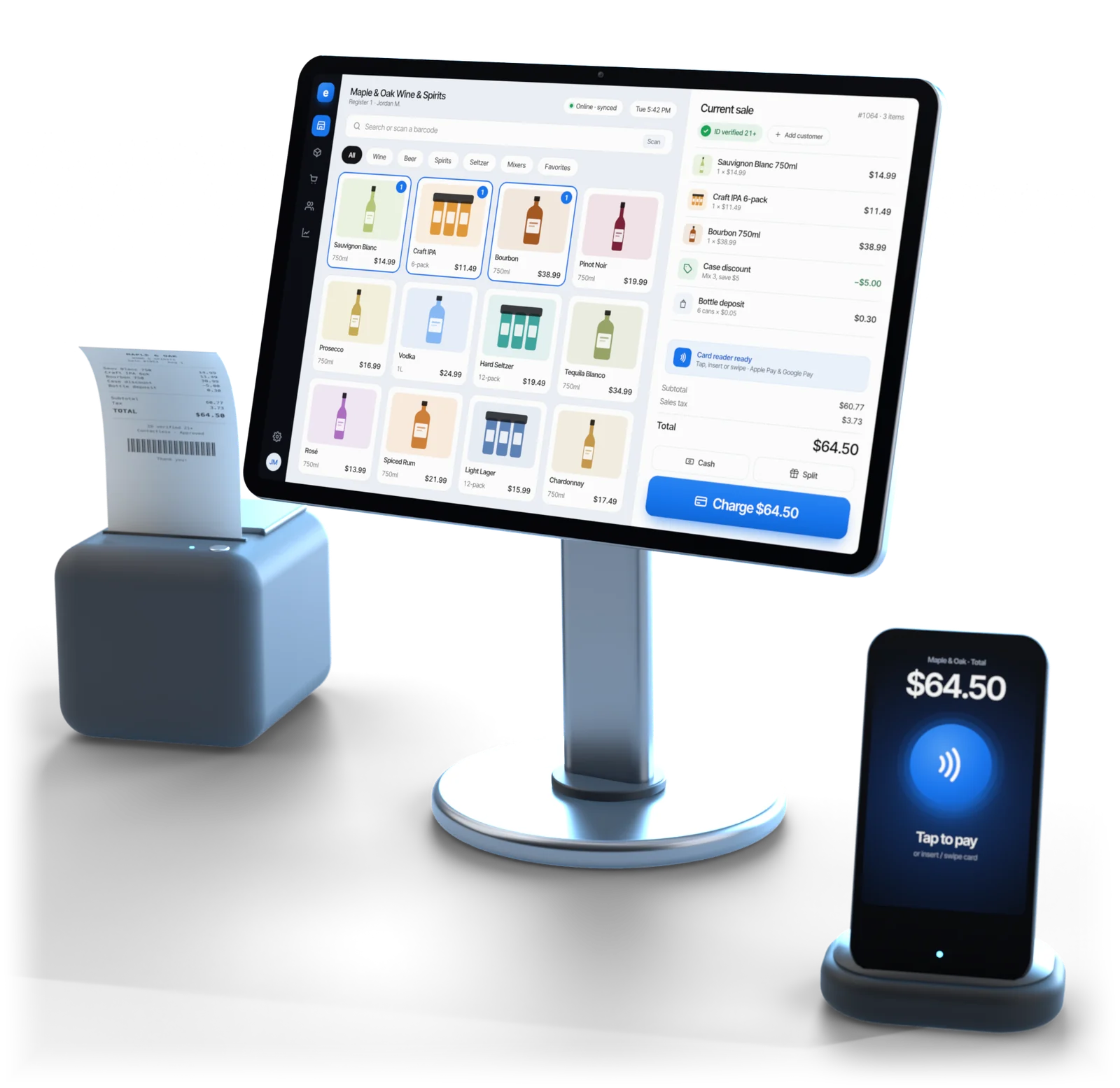
Illustrative example
In short
A liquor store POS system has to get four sales right that a general register leaves to the clerk: deposits, case breaks, mix-and-match and age checks. Esplanda POS does all four at the counter, and keeps selling when the internet drops.
It runs on a desktop at the counter and on iOS and Android on the floor, on one catalog, and it is free.
At the counter
A liquor store is hard not because of volume, but because four ordinary sales work differently from every other kind of retail. Esplanda POS does each one in the software.
A container deposit is its own charge with its own refund, and which containers carry one differs by state. Esplanda charges it at the sale and refunds it on the return, by container type, so it never leaks on a busy night.
Force a second item for singles and you have two records for one product, both wrong within a month, and every reorder point built on them wrong too. Here a bottle from an open case is one item, and the stock drops by one.
“Any six bottles at the case price” is the most common deal in wine retail. Esplanda applies it the moment the basket qualifies and records the discount, so you can see later what the deal cost you.
A prompt asking “customer over 21?” is a button a tired clerk taps. Esplanda reads the date of birth and expiry off the license barcode, faster than the tap, and saves the check with the sale. For the cover behind the counter, see liquor store insurance.
Compared
The gap is not a feature list. It is who does the work: the software, or a clerk at 11pm.
| The sale | General-purpose register | Esplanda POS |
|---|---|---|
| Container deposit | Keyed by hand, or buried in the shelf price and lost | Charged and refunded by container type |
| One bottle from an open case | A second item for singles that drifts | One item; the stock drops by one bottle |
| Mixed six-pack at the case price | The clerk works out the discount | Applied automatically and recorded |
| Age check | A yes/no prompt | Date of birth and expiry read from the license |
| Wine in four sizes | Four unrelated products | One product with its sizes and packs |
| Internet down on a Friday | A cloud-only register stops and the line walks out | Keeps selling offline, syncs later |
| Reorder point | Worked out elsewhere from an exported file | Worked out on the record the sale just changed |
The last row is the one owners underestimate. When the register and the ordering read one catalog, a broken case is a number, not a reconciliation, and the next order comes from it: see purchase order software.
Offline-first
Esplanda POS keeps taking money with no internet. The catalog, prices, tax rules, deposit rules and mix-and-match rules live on the machine at your counter.
What to do when the power or the processor goes too: the offline POS system guide. How the register works across trades: POS system with inventory management.
Switching
For one store, plan on about a week. The software installs in an afternoon; the rest of the week goes into getting several thousand items right, because every case break and mixed deal stands on them.
An export from Square, Clover, Lightspeed or KORONA comes straight in; any other register's item list comes across as a spreadsheet. The move is free: see POS data migration.
750ml, 1.75L, 12-pack, 24-case: set once, so case breaks and mix-and-match have something correct underneath them.
The register charges and refunds them from here on, instead of a clerk remembering to.
Sample every category, above all wine sizes, singles pulled from packs and anything that carries a deposit. This is the real work.
Your old register keeps running next to Esplanda, free for up to 30 days, and the daily totals are compared. A gap now is almost always a catalog fix.
Take the old register off the counter. Several stores? Convert one first as the template, then roll it out with multi location inventory management.
Your choice
A register swap unsettles age-check habits, state reporting and staff muscle memory at once, and December is not the month for it. So both paths work.
The rest of the store, from distributor orders to online ordering, is on liquor store software. Every price is on Esplanda pricing.
Questions
The right liquor register gets four things right at the counter: deposits charged and refunded by container, case breaks on a single item, mix-and-match so a mixed six-pack prices at case rate, and age checks that read the license. Esplanda POS does all four, keeps selling offline, and is free.
Yes. Esplanda POS attaches a deposit rule to each container type, so the deposit is charged at the sale and refunded on a return without anyone keying a line by hand. Deposit amounts and covered containers differ by state, so the rules are set per location and applied the same way at 2pm on a Tuesday and at 11pm on a Saturday.
Case breaking means one product record sells as a single bottle or as a full case, with the stock counted correctly either way. Registers that force a separate singles item end up with two records that drift, and then the reorder point is wrong on both. In Esplanda POS a bottle from an open case is the same item, and the stock drops by one.
Yes. Esplanda POS reads the barcode on the license and checks the date of birth and expiry from the ID itself, instead of asking a clerk to do arithmetic on a birth year at 11pm. The check is saved with the sale. Rules are set by your state and license.
For one store, plan on about a week. The install is fast; the catalog is the work. Importing several thousand items with the right sizes, packs and deposit rules, then spot-checking them against the shelves, fills those days. Your old register can run alongside Esplanda, free for up to 30 days, so there is no cutover day.
It keeps selling. Esplanda POS is offline-first: prices, tax, deposit rules, mix-and-match rules and the ID check all run on the machine at the counter, and the day syncs when the line comes back. Card approvals follow your payment terminal's offline flow, whichever processor you use.
No. Keep the register you have, or use ours. Esplanda connects to Square, Clover, Lightspeed and KORONA with no change at the counter. Esplanda POS is the better path, because there is then one catalog and nothing to match, and it is free.
Esplanda POS is $0 a month, with the migration and 30 days of parallel running, and no setup fee, no contract and no per-user fees. The hardware set and its freight are free, up to about $3,455 a location, when your projected card processing with Esplanda clears our threshold; otherwise you buy it at list price, or run the register on gear you already own. Paid tools are priced on their own, and every price is on the Esplanda pricing page.
Start free today, or book a demo and we'll ring deposits, case breaks and an ID scan on a store like yours.
Esplanda POS and your website are free to start, with no card needed. Want to see nearby shelf prices first? Run the free price check.