
AI business assistant
The AI business assistant that answers with your numbers
Ask about your store in plain words and get answers from your own sales, stock and costs, with the figures shown.
Part of the free Esplanda POS: plain-word answers about your sales data, with the numbers behind every one. See how Esplanda works.
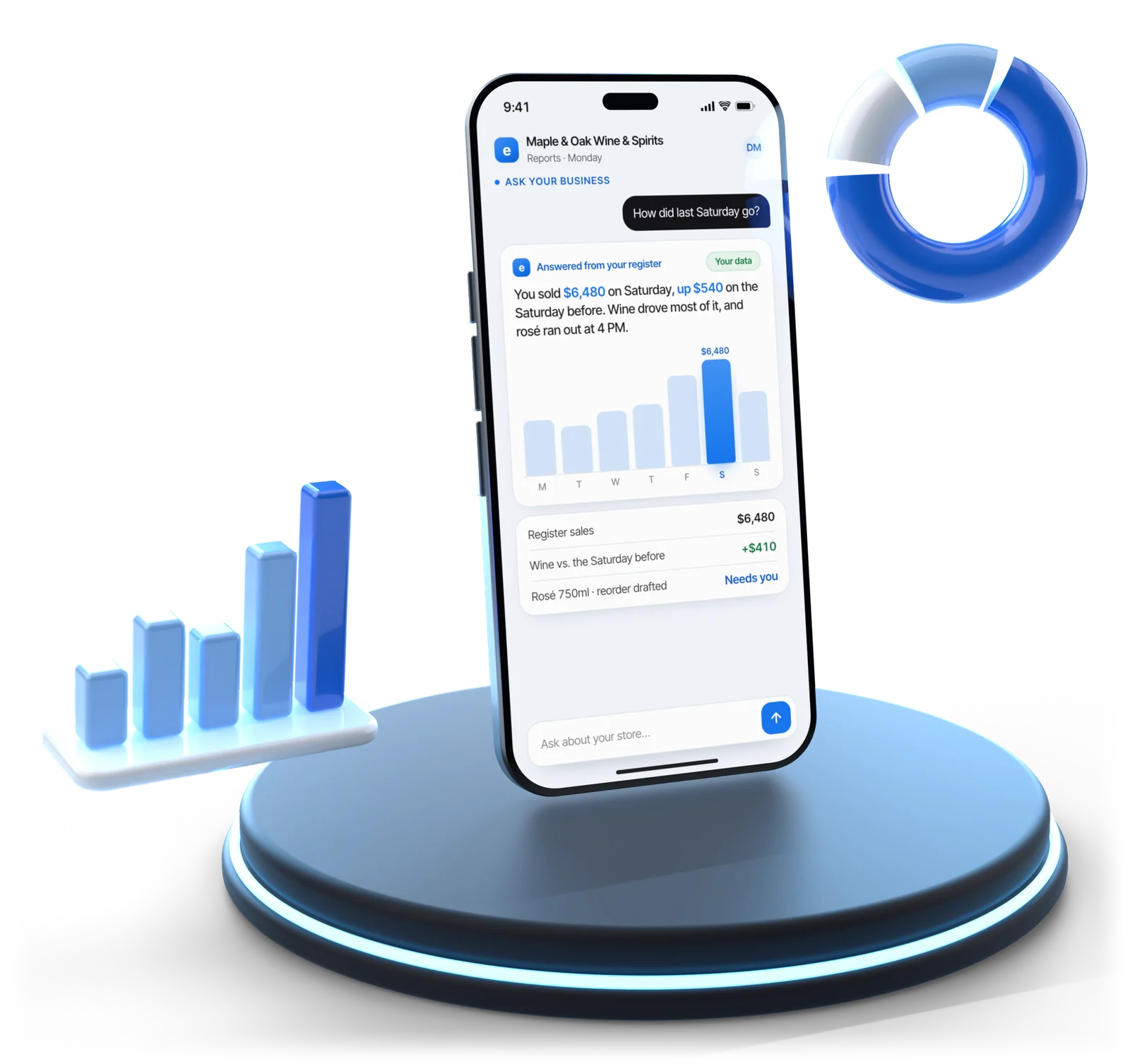
Illustrative example
What you can ask
Your store, in plain words
Most AI tools for small business are a chat box that knows nothing about your store. Esplanda's AI assistant for small business sits on your register, stock and costs, so the answer is about your business, whether that's a liquor store or a restaurant.
How much did I sell last Monday?
The total, which Monday it used, the number of sales and the average basket, compared fairly: a holiday against the same holiday.
What's left of the tequila on the end cap?
Units on hand by size, weeks of cover at today's pace and any open order due before you run out. The two words on the shelf talker are enough.
What should I order for Friday?
What will run out and when, with the numbers behind it; the orders themselves come from our purchase order software.
Where am I above the stores near me?
From public shelf prices nearby, through our competitor price tracking, and your own costs.
How many hours did Sarah work this week?
Which Sarah, if you can see two, then hours and shifts from clock-ins in our employee scheduling software, not a guess.
What did I actually make last month?
Profit, not just sales, from the same numbers as your monthly P&L, with a plain line on how profit differs from your take-home pay.
How do I make more profit if sales are flat?
A ranked list of levers in your own store, each with dollars, effort and risk, including the ones that cost money before they earn it.
No made-up numbers
Every figure comes from your data, with a link to the records behind it. Where data is missing, it says so instead of guessing.
Where the answers come from. Register sales, stock, costs, staff hours and customer records in Esplanda, plus public shelf prices at nearby stores. Keep the register you have, or use ours: sales come from Esplanda POS, which is free, or from a Square, Clover, Lightspeed or KORONA register you connect. Ask by typing in the back office or out loud from the floor.
Why the numbers show. Every answer shows the figures it came from, so you can check any of them. Forecasts are marked as forecasts, and each person gets answers about the stores they're set up to see.
Answers follow what you've switched on. Sales, stock, cost of goods and gross profit answer from the free Esplanda POS. Hours worked come from Employee Scheduling & Attendance, operating profit, expenses and cash from Books & Expenses, and ongoing price comparisons with stores near you from Competitor Intelligence. Ask about one you haven't added and the answer names the line that covers it.
Built in, not switched on
It only ever sees your business
Who it answers about
Which business and which stores a question may touch is fixed from who is signed in, before your sentence is read. There is no wording that can name a different one.
- Blocked before it's read. A question about a store outside your access is stopped before a single record is read, not fetched and tidied up afterwards. A manager who asks about the other store gets a plain answer about their own access and the same figure for their own store.
- Authority can't be typed. Saying the owner approved it changes nothing, and the attempt is recorded.
- Outside text is read, never obeyed. Ask what a supplier's email said about Tuesday's delivery. An instruction hidden inside it is ignored, and the answer tells you it was there.
What comes back with every answer
- The figure, the period and the store. With a link through to the records underneath it.
- Your trading day, not the clock. If you close after midnight, the late sales belong to the night they were part of, and where that changes the figure, the answer says what counting by the clock would have given.
- Names the way you say them. The match it picked sits beside the answer. Correct it once and it remembers, for your store only.
- Withheld, not hedged. Every number in a drafted answer is checked against the records it read. If one fails, the answer is held back rather than shown with "approximately" in front of it.
In your language. Ask in the language you set and it answers in that language, with the same figures as in English and brand names as they're printed on the shelf. See multi-language business software.
The morning briefing
Each morning, only what matters
No wall of charts, no feed of alerts and no notification count. The home screen is six blocks, and the briefing on top of them is written before you open, like a note from a manager who worked the night.
- Quiet when the week is quiet. A quiet week gets a quiet briefing: a headline saying so, a few facts and a line on what ran, not paragraphs written to justify the notification.
- Every morning, numbers first. The briefing is built from your numbers, so every figure arrives each morning, with or without the AI’s written summary. The numbers are the briefing.
- The rest is one tap away. The deeper reports wait behind the blocks for the days you want them.
The alert thresholds behind it are set in our business automation software, and the phone side, our AI receptionist, answers from the same live data.
The six blocks, in this order
- GoalWhat you asked for, in money and time, and when you set it.
- Where the week is headingWhere it will likely land against the goal, the daily rate that closes the gap and the rate you're running.
- What ranWork completed since you last looked, each with its measured result. Where you've allowed it, that includes routine work done inside your limits.
- What changedThe one thing that moved, like a cost that went up while your shelf price didn't, and the most likely reason.
- What needs youThe decisions waiting for a yes and the dollars riding on them. Usually two or three. Sometimes none.
- What it's worthWhat approving everything waiting is worth, and what approving nothing costs. If that's very little this week, it says so.
Goal to plan
Tell it the goal, approve the plan
Give it a goal in plain words, like a weekly sales target with a margin floor under it. The answer opens with the gap and the daily rate that closes it, then a plan of four to eight actions, each with what it should earn, how sure that is, what it costs to run and how risky it is. To test one move first, like a price rise or an extra hour of opening, use what-if scenario planning software.
- Built from what Esplanda already found. The reorder that prevents a run-out, the repricing on items sitting too long, the customers worth contacting this week, the reviews that need a reply. The plan ranks them, prices them and checks them against your limits.
- Both sides of every item. What it should earn and what doing nothing costs, on every item in the plan. A step that breaks one of your rules, like a promotion under your margin floor, is called out before you approve, with the rule named.
- Nothing you say just runs. Anything that sends, spends, publishes or changes a price first shows who it goes to, the exact wording, what it costs and whether it can be undone. New goals and house rules, like "we never discount the house bourbon", are read back before they're saved.
- You set what happens next, per kind of work. Advise, and you carry out the plan yourself; prepare, and each step waits for your one-click approval; or act inside your limits. Anything outside your limits comes to you.
- Checked again before it runs. The facts each step was approved on are checked again just before it goes ahead. If the forecast has moved or the gap has closed, it stops and comes back marked re-evaluated, showing what changed.
- It keeps score. Each approved step is recorded with what it was expected to earn and what it earned. See how we measure results.
Three levels of how much is done for you, set per kind of workAdvise it advises youPrepare it prepares the workAct inside limits it runs inside your limitsThe assistant, the briefing and the approval queue are part of the free Esplanda POS. Acting alone is earned one kind of action at a time, from a measured track record, and anything above your thresholds still waits for you. See Esplanda pricing.
Guardrails
What sits under the approve button
One click is only a good idea when what's behind it can't surprise you. These limits are written by you, enforced by the system rather than by the AI, and can't be widened by the thing they limit.
Limits you write once
The deepest discount, the order size that must come to you, the hours texts may go out. Checked on every action, including when nobody is watching.
Rules only a person can change
The daily cap on what automation may spend is a hard ceiling, and writing or changing a limit is a job for a person. No automation and no request to the AI can widen either.
No acting on old facts
An action whose facts have changed since it was proposed doesn't run. It comes back for your OK, showing the difference, rather than going ahead or quietly disappearing.
The unusual item waits
Approving a batch moves the routine items and holds the risky one for you. If one step in a plan needs you, the whole plan waits, and a request you don't answer expires instead of going ahead.
Outside text is read, never obeyed
A supplier email, a customer message or a review can't approve anything or give an order. An instruction hidden in one is reported to you, not followed.
A record nobody can edit
Who or what changed anything, when, why and under which rule, written as it happens. Not even Esplanda can change it afterwards.
Approve everything, any time. Switch your store into approve-everything mode and no automated action happens until you say yes. Esplanda can also halt every automated action across every store with one switch. Read why Esplanda is safe to trust.
Choosing
How to choose an AI assistant for your business
The right AI assistant for a business is the one that knows the business. Six questions to ask before you choose, and how Esplanda answers each.
Does it know your numbers?
A general AI chat tool answers from what it was trained on. Esplanda’s assistant answers from your own register sales, stock, costs and staff hours.
Can you check every figure?
Every answer shows the figures it used, the period, the store and a link through to the records.
Who else can it see?
Only your business. Which stores a question may touch is fixed from who is signed in, before your question is read.
What happens when it wants to act?
You decide, per kind of work: it advises, prepares the work for your OK, or runs inside your limits. Anything outside them waits for you.
Does it work in your language?
Ask in the language you set and the answer comes back in it, with the same figures as in English.
What does it cost per person?
Nothing per person: unlimited users and no per-user seats, and the assistant is part of the free Esplanda POS.
Questions
AI business assistant questions owners ask
What is an AI business assistant?
An AI business assistant is software you can ask about your business in plain words, and that helps you act on the answer. Esplanda's assistant answers from your own sales, stock, costs and staff hours and shows the numbers behind every answer, so asking why last Thursday was down gets you an answer rather than a chart.
How do I use an AI business assistant?
Ask it what you'd ask a manager, typed in the back office or out loud from the floor: how much you sold last Monday, what's left of an item, what to order for Friday. When you want more than a figure, give it a goal in plain words and approve the plan it builds.
What can I ask Esplanda's AI business assistant?
Sales for any day, what's left of an item you only know by the two words on its shelf talker, what to order this week, how many hours someone worked, where your prices sit against the stores near you and how to make more profit when sales are flat. Each answer comes with the numbers it used, the period and store it covers, and a link to the records.
Where do its numbers come from?
From your own data in Esplanda: register sales, stock, costs, staff hours and customer records, plus public shelf prices at nearby stores. Every figure in a drafted answer is checked against the records it read, and if one can't be traced, the answer is held back rather than shown with "approximately" in front of it.
Can it make changes on its own?
The assistant answers; what Esplanda does next follows the level you set for that kind of work: it advises, prepares the work for your approval, or runs inside limits you set once. Anything outside your limits, replies to 1–2 star reviews, complaints, refund requests, any ad spend, publishing a blog post, a price move near your floor and marketplace prices always come to you. Every step is checked again just before it runs, in case the facts behind it have moved.
Is my store's data kept private?
Yes. One store's data is never shown to another, and which stores a question may touch is fixed from who is signed in before the question is read, so no wording can reach another business. Esplanda reads public prices from nearby stores but never shares your prices with them.
How do I choose an AI assistant for my business?
Choose one that reads your own numbers, shows where every figure came from, sees only your business and acts only inside limits you set. Esplanda's AI business assistant does all four, free in Esplanda POS.
How is it different from other AI tools for small business?
A general AI chat tool doesn't know your sales, stock or costs, so it can only give general advice. Esplanda's assistant is retail AI software that sits on your register and back office and answers with your own numbers rather than handing you a chart.
Is it an AI copilot for business owners?
Yes. Say what you want in a sentence, like a weekly sales target with a margin floor under it, and Esplanda comes back with the gap and a plan of four to eight costed actions in an approval queue. You approve each item in one click, and you set per kind of work whether Esplanda advises, prepares the work or acts inside your limits.
What does Esplanda's AI business assistant cost?
Nothing extra. Asking questions, the morning briefing and the approval queue are part of the free Esplanda POS, with unlimited users, no setup fee and no contract. What you choose is how much work arrives already prepared and how much Esplanda may do inside limits you set once.
Ask about your store, get the numbers
Start free today, or book a demo and ask the assistant about a store like yours.
Esplanda POS and your website are free to start, with no card needed. Add paid tools only when you want them.
