
How it works

How Esplanda works: it preps the work, you approve

Esplanda reads your sales, stock and prices, drafts the reorder, price change or customer text, and records what each one earned.

Esplanda POS and your website are free to start, with no card needed. Add paid tools only when you want them. See Esplanda pricing.

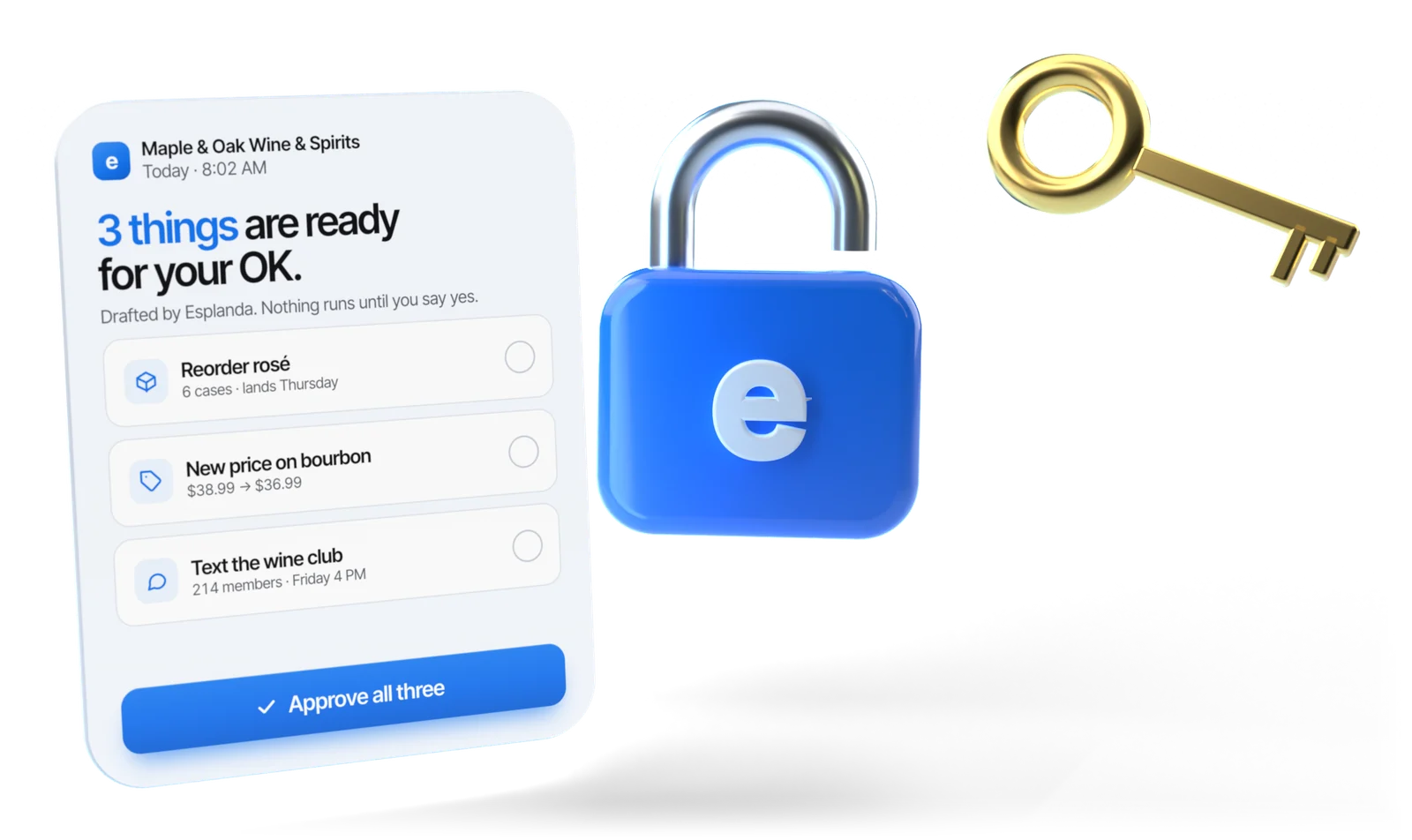
A card from a fictional store reading 3 things are ready for your OK, with an Approve all three button, beside a blue 3D padlock marked with the Esplanda e and a gold key

Illustrative example

Step 01You, once

Set a goal in dollars

Everything Esplanda does is built from your sales and scored against your goal, so step one is two short jobs: connect the register, then say what you want.

First, your register

Keep the register you have, or use ours.

Free

Use Esplanda POS

On the desktop, iOS or Android device you already have, with the move from your old system. The sale, the cost and the stock count are one record, so there is nothing to match and nothing to reconcile. See the POS system with inventory management.

Keep your register

Keep Square, Clover, Lightspeed or KORONA

Nothing changes at the counter, but every product is matched between the two systems, new items join a match queue, and the counts need reconciling because two systems drift. See our POS integrations.

Either way, your products, customers and sales history come across with POS data migration. Your Google Business Profile, review sites, email and text messaging, Google, Meta and TikTok ad accounts, delivery apps and your bank or accounting feed then connect with a sign-in, not a migration.

Then say the goal out loud

Tell Esplanda what you want in dollars, the way you would say it: the weekly profit you want, or the margin you want to keep. Every suggestion it makes is scored against that goal.

Step 02Esplanda, every morning

Esplanda finds the work

Each morning it shows where the week is heading. Set to advise, Esplanda shows you what to do. Set to prepare or act, it drafts the work itself: specific, costed and ready to go, each piece with its reason and what it is expected to earn.

  • It seesstock that will run out

    Orders

    One purchase order per supplier, timed to its delivery day and built from what sold and what's on the shelf. See our purchase order software.

  • It seesa cost rise or a nearby price move

    Prices

    Public prices at nearby stores tracked, supplier cost rises caught, and never a price below legal alcohol minimums. Set to prepare or act, the new shelf price is ready for your OK. More on competitor price tracking.

  • It seesa regular who drifted, a new review

    Customers and reviews

    Regulars who have drifted from their usual rhythm, with the offer to make inside your discount ceiling, and every review that needs a reply flagged. Set to prepare, the win-back message and each reply are drafted for your approval; set to act, they go out inside your limits, and 1–2 star reviews still come to you.

  • You askhow much did I sell last Monday?

    Answers in plain words

    The AI business assistant answers questions like that one with the numbers behind the answer.

Step 03You, in one tap

You approve, or it waits

Where a capability prepares, every piece of work comes to you with its reason; where it acts, anything outside your limits does. Approve, edit or say no in one tap, on your phone or computer.

  • One capability at a time. You hand over one capability at a time, once you trust it, and can revoke any of it whenever you want. Autonomy follows results: in any area where results fall short of forecast, Esplanda steps back until accuracy recovers. See the levels of autonomy in business software.
  • Override it and it learns. Undo its work or turn down a campaign, and Esplanda keeps the reason and remembers your decision next time. That is what business automation software should look like for a store: rules you set, not rules it sets for itself.

Limits you set once

Illustrative example
LimitWhat it controlsExample
Largest orderThe biggest supplier order it may send without you$2,500 per order
Margin floorThe margin no price may drop below22% on wine
Deepest discountThe biggest discount an offer may carry15%, never on your top sellers
Ad capThe most it may spend on each ad channel in a month$400 a month on Google
Approved suppliersWho it may order fromYour three distributors, nobody else

Where ordering may act on its own, an order under the $2,500 limit goes out by itself, and the $2,860 Friday order above waits for you. Anything outside a limit comes to you as a request.

How much it may do alone is set by you, capability by capability

  • AdviseLevel 1

    Tells you. Forecasts, warnings and the next step, and you do the work.

  • PrepareLevel 2

    Gets it ready. Everything is drafted and waits for your tap.

  • ActLevel 3

    Does it, inside your limits. Routine work under your limits goes ahead; anything above them still comes to you.

Set to advise or prepare, nothing spends money or changes a price by itself. See what each paid tool costs on Esplanda pricing.

A short list always comes to you, including replies to 1–2 star reviews, refund requests, any ad spend and a price move near your floor, and you can switch to approve-everything mode at any time. Read why Esplanda is safe to trust.

Step 04Esplanda, afterwards

It measures what it earned

Once the result is knowable, Esplanda writes what each action actually earned next to what it expected, in dollars. That record shows you, action by action, what the work earned. See how we measure results.

Your ledger, for every action

Before
What the work is expected to earn, with its reason.
After
What it actually earned, written next to the expectation.
Every result
Recorded next to the prediction, in dollars, and kept in your ledger.
Permission
Autonomy follows results: when a type of work falls short of its forecast, Esplanda goes back to asking you first, and tells you why.

One week, step by step

  1. MondayA bourbon will run out before the next delivery, so it goes on the distributor's order. The order is under the limit, and ordering is set to act, so it goes out on its own.
  2. WednesdayA nearby store cuts the price of the vodka you sell most. Matching it would bring the price near your margin floor, so the new shelf price is staged for your OK.
  3. FridayThe weekend order is above your limit, so it waits for you with a reason on every line.
  4. SundayThe weekly summary lists what was done and what each action is expected to earn; the ledger fills in what it earned as each result comes in.

Illustrative example

Tomorrow morning the loop starts again at step 02.

Not a dashboard

How this differs from a dashboard

A dashboard reports what already happened and leaves every decision with you. So does a report tool, a register on its own, or a chat box added to old software. The difference is how much of the work the software takes, and whether it measures what that work earned.

A general scale for any business software, not a description of any one brand.
LevelWhat the software doesWhat you doExample
AlertsNotices something and tells youDecide, act and checkA low-stock alert
SuggestionsSuggests what to doJudge it, do it and checkA suggested reorder list
Acts inside your limitsDoes the work inside limits you setSet the limits and approve the exceptionsOrders sent under an order limit
Acts and measures what it earnedDoes the work, writes down what it expects to earn, then measures itSet goals and limits, read the results, overruleOrders sent under a limit, each with what it earned recorded

Set to advise, Esplanda tells you what to do; set to prepare, it gets the work ready for your one-tap OK; set to act, it does the work inside your limits. Every action is recorded with what it was expected to earn and what it earned.

Who it's built for

  • Owner-run stores where one person carries the management load, with a real catalog and repeat customers.
  • Liquor and wine stores, grocery and convenience stores, counter-service restaurants and bars, retail shops and service businesses.
  • Groups of stores, each location with its own limits.

Works with what you have

  • Your register. Keep Square, Clover, Lightspeed or KORONA, or use Esplanda POS, which is free.
  • Your history. Products, customers and sales history come across, and forecasts learn from your own sales, starting with your first two to four weeks.
  • Your accounts. Google Business Profile, review sites, email and text, ad accounts, delivery apps and your bank or accounting feed connect with a sign-in.

Questions to ask any vendor, including us

  1. What did you predict, and what did you measure, in dollars?
  2. What does it do without being asked? Name a routine job, such as next week's order.
  3. Which limits can I set, and how do I take a permission back?
  4. Do I have to replace my register?
  5. What can I take with me if I leave?

Your part

Four things that stay yours

Esplanda takes the routine work off your plate. Four things stay with you, and each one makes Esplanda work harder for your store.

  • Get the connections right

    An afternoon of sign-ins. In the first week Esplanda shows you any duplicate items or wrong costs in your item list, so every forecast starts from clean data.

  • Set limits you mean

    Your largest order, your margin floor, your deepest discount. Twenty minutes here decides how much Esplanda takes off your hands.

  • Read the morning summary

    A few minutes a day: what's ready, what each piece is expected to earn, and one tap to approve it.

  • Keep the judgment calls

    Who to hire, which supplier relationship to protect, whether to sign the lease next door. Esplanda brings you the numbers; those decisions stay yours.

Questions

How it works: questions owners ask

How does Esplanda work?

Esplanda works in a loop: you set a goal in dollars and your limits once, and Esplanda watches your sales, stock, prices and customers, forecasts where the week is heading and finds the work that closes the gap, such as a supplier order or a price change. Area by area, you choose whether it tells you what to do, gets the work ready for your one-tap OK, or also does routine work inside your limits. Every action is recorded with what it was expected to earn and what it actually earned.

How long does it take to set up Esplanda?

Setup is step by step: connect your register or set up Esplanda POS, then about an hour of connections, such as your Google Business Profile, email and text messaging and your ad accounts. Setting your goal and your limits takes about twenty minutes. Forecasts learn from your own sales, starting with your first two to four weeks, and approvals let you see every piece of work before you hand any of it over.

What does Esplanda connect to?

Your register first: Esplanda POS, which is free, or a Square, Clover, Lightspeed or KORONA register. Then your Google Business Profile, review sites, email and text messaging, your Google, Meta and TikTok ad accounts, your delivery apps and your bank or accounting feed. Nobody is forced to change register.

What stops Esplanda from doing something I don't want?

Your limits, set once: the maximum purchase order value and a weekly ceiling across all suppliers, the suppliers it may buy from, a floor margin, your price rules, the deepest discount an offer may carry, the ad spend cap for each channel, how often any one customer may be contacted, the hours messages may be sent, which segments may be contacted, tone rules, escalation rules, scheduling rules and a labor target, and which capabilities may act at all. Anything outside them becomes an approval request. Replies to 1–2 star reviews, complaints, refund requests, anything touching alcohol rules or a legal claim, any ad spend, publishing a blog post, a price move near your floor or larger than your maximum move size, marketplace prices and a shift swap that breaks your rules always come to you, and you can switch to approve-everything mode at any time.

How does Esplanda check its own forecasts?

Every result is recorded next to its prediction, in dollars, and stays in your ledger. When a type of work falls short of its forecast, Esplanda goes back to asking you first, and tells you why.

Can I let Esplanda do some things and not others?

Yes. How much Esplanda does is set area by area, and any area can stay on advice only. For example, you can let it send routine supplier orders under your limit while keeping every price change for your approval, and change these settings at any time.

What happens in my first two weeks?

Your first two weeks start free, with no credit card needed. Connect your register or set up Esplanda POS, connect your accounts with a sign-in, and take about twenty minutes to set your goal and limits. In the first week Esplanda shows you any duplicate items or wrong costs in your item list, so every forecast starts from clean data. From then on, each morning brings a short summary of what is ready, what each piece is expected to earn and one tap to approve it.

What does it cost to run Esplanda this way?

Esplanda POS is free, with the move from your old system, and runs on the computer, tablet or phone you already have. Hosting your website is free, with 99¢ per online order, never more than $299 a month. Everything else is a paid tool you add only if you want it, each priced on its own per location per month, from $29 to $699. There is no setup fee, no contract and no per-user fee, and every price is on the Esplanda pricing page.

Do I need to learn a new system?

Your day with Esplanda is a short morning summary and one-tap approvals, on your phone or computer. You can also ask questions in plain words, such as how much you sold last Monday, and get the answer with the numbers behind it.

Your first step

Set a goal and watch the loop run

Start free today, or book a demo and we'll walk through Esplanda on a store like yours.

Esplanda POS and your website are free; add paid tools only when you want them. See Esplanda pricing, or read about Esplanda, the company behind it.

Powered by
esplanda