
Inventory management
Retail inventory management software, free with your POS
Track stock in units and cases, count while you stay open, see shrink in dollars and get warned before items run out.
Inventory management is part of the free Esplanda POS: no monthly fee, no setup fee, no contract, unlimited users. See Esplanda pricing.
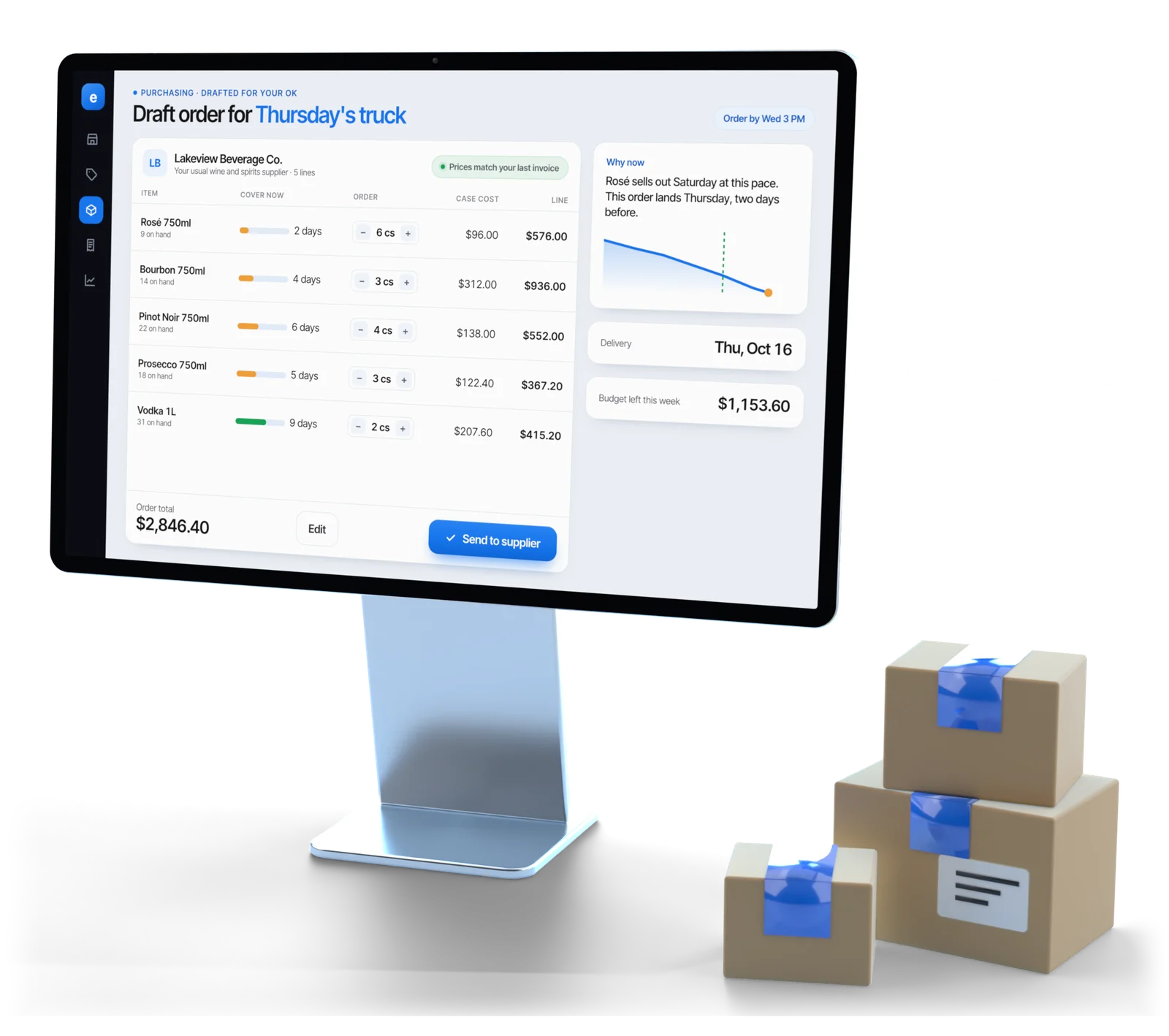
Illustrative example
The basics
What inventory management for small business should do
Inventory management software tracks what you have in stock, item by item, and keeps that number right as you sell, receive and count.
One clean catalog
Duplicates, missing barcodes, missing costs and pack sizes that don’t match what you bought, flagged to fix.
Units and cases together
Each item knows the unit you sell and the case you buy, so a case of twelve arrives as twelve.
Counts on a normal day
Count one aisle or category with a phone while the store stays open.
Shrink in dollars
After every count, the gap between expected and counted stock, valued and ranked in dollars.
Run-out warnings
Which items will run out, and when, in time to reorder, from Esplanda’s demand forecasting software.
Dead stock
Items that haven’t sold in a set window, ranked by the cash tied up, so you clear them while they’re still worth clearing. Here’s what to do about dead stock, with the substitution math.
Spreadsheet, register counts or inventory software
| Method | Stock on hand | Shrink visible? | Real cost |
|---|---|---|---|
| Spreadsheet | Accurate the day you update it | No | Hours a week, and it’s out of date by Tuesday |
| Register stock counts only | Accurate for items the register knows about | Rarely, and never in dollars | Unmapped and duplicate items quietly pile up |
| Esplanda | Kept current as you sell and receive, corrected by cycle counts | Yes, per item and per category, in dollars | $0 on Esplanda POS, plus fifteen to thirty minutes of counting a day |
Catalog
It starts with the catalog, not the count
Nothing downstream works until the item list is clean: a barcode, a current cost, a selling unit and a buying unit for every item.
- Units versus cases. A case of twelve bought as one line and sold as twelve has to be recorded as both. When it isn’t, the count says six, the system says seventy-two, and nobody trusts the screen again.
- Cleanup flagged for you. Esplanda flags duplicates, items with no cost or barcode, and pack sizes that contradict your purchase history. You make the calls; for a few thousand items, most of it is done in the first week.
- Real costs only. Where your history has no cost, Esplanda asks you for it, so margins run on real costs.
Counting
Cycle counts without closing the store
Counting a small slice on a normal trading day beats shutting down for a weekend once a year, and it catches problems while they’re small.
- Esplanda picks the slice. Fast movers and high-value items come around often; slow, cheap items a few times a year.
- Count with a phone. Scan the barcode or shelf tag and key the number on an iOS or Android phone or tablet.
- Gaps ranked in dollars. A two-bottle gap on a $60 bourbon outranks a forty-unit gap on gum, so you look at the money first.
- The count writes back to stock. Tomorrow’s order is made against a number somebody physically checked.
Shrink
Shrink is a number, not a feeling
Shrink is the gap between the stock the system expects and the stock a count actually finds, worked out per item and per category after every count.
Five causes behind one gap
Five things produce exactly the same gap, and the everyday ones are usually most of it. Esplanda shows you which gap to look at first.
- Miskeyed sales
- Unrecorded breakage
- Receiving errors
- A wrong case size
- Theft
Look for patterns
The same high-value category, short by a similar amount month after month, is worth asking about. Esplanda shows the pattern and the dollars, so you know which category to watch and by how much.
Check the back door
A lot of missing stock was invoiced and never arrived. That fix happens at receiving: check each delivery against the order with invoice scanning software.
Getting started
Setting up inventory tracking, and your register
Keep the register you have, or use ours. After that, most of the setup is the catalog.
Connect your sales
Esplanda POS, the accurate path
Free. Every sale, void, refund, delivery and count writes to one stock record: no drift, no nightly reconciliation, no matching queue. See the POS system with inventory management.
Your current register
Keep Square, Clover, Lightspeed or KORONA, with no change at the counter. New and renamed items land in a matching queue, ready for you to pair. More on POS integrations.
Bring in your item list
From your register’s export or a spreadsheet, with past sales if your register exports them.
Fix what it flags, then count
Clear the catalog problems Esplanda flags, then count the slice it picks each day while the store stays open.
Order from true numbers
Run-out warnings and purchase order software now work from stock somebody actually counted.
Buyer’s checklist
How to choose retail inventory software
Six questions to ask any retail inventory tracking software before you switch, and what Esplanda does for each one.
Units and cases on every item?
Ask how a case becomes singles. Esplanda records the unit you sell and the case you buy on every item, so the count and the screen agree.
Counts without closing?
Rolling cycle counts beat a weekend stocktake. Esplanda picks the slice each day, and your top sellers come around most often.
Shrink valued in dollars?
A gap on gum and a gap on bourbon aren’t equal. Esplanda ranks gaps in dollars: small ones correct on their own, and large or repeating ones come to you with the item and the pattern.
In step with your register?
Ask where the sales come from. On Esplanda POS, sales and stock share one record. Square, Clover, Lightspeed and KORONA connect too, with new items paired in a matching queue.
Every store on one screen?
Esplanda shows stock on hand for every location together, and names the store to move stock from when a transfer beats a new order or a markdown. More on multi-location inventory management.
Counts that drive the order?
Run-out warnings and orders should start from stock somebody counted. Esplanda’s purchase order software drafts from it, with case packs and minimums applied.
Who it’s for
Who Esplanda is built for
Built for
- Independent stores with a counter: liquor and wine, grocery, convenience, boutiques and shoe stores. See our liquor store POS system, grocery store POS system and retail POS system.
- One location or a few, including groups that move stock between stores; see multi-location inventory management.
- Owners who want counts that fit a normal day, not a weekend stocktake.
Works with what you have
- Your register, kept as it is, or Esplanda POS, which is free.
- Your phones and tablets. Count on any iOS or Android phone or tablet.
- Your item list, brought in from your register’s export or a spreadsheet.
Questions
Inventory questions small business owners ask
What is retail inventory management software?
Retail inventory management software tracks what a store has in stock, item by item, and keeps that number accurate as you sell, receive and count. It holds one catalog, records every movement in and out, and shows the gap between the stock it expects and the stock you find. Forecasting and ordering sit on top of it.
What should inventory management for small business include?
For a small store with a counter, look for four things: sales and stock in one record, units and cases tracked together, counts staff can do on a normal day with a phone, and gaps valued in dollars. Esplanda does all four, and it is part of the free Esplanda POS.
Do I have to close the store to count inventory?
No. Esplanda runs rolling cycle counts: you count one category or aisle on a normal trading day, usually in fifteen to thirty minutes with a phone. Over a quarter the whole store gets counted, and fast movers and high-value items get counted most often.
How does inventory management software work?
Every sale, delivery and count updates one stock record per item, with the unit you sell and the case you buy kept together. Counts on a normal day correct that record, the gaps they find are valued in dollars, and run-out warnings and orders work from the corrected number.
How do I find out if stock is going missing?
Look at shrink: the gap between the stock the system expects and what a count finds. Esplanda calculates it per item and per category after each count and ranks it in dollars. Miskeyed sales, breakage and receiving errors produce the same gap as theft, so a steady pattern in one category tells you where to look first.
Does Esplanda inventory work with the POS I already have?
Yes. Keep the register you have, or use ours. Esplanda connects to Square, Clover, Lightspeed and KORONA with no change at the counter. Esplanda POS is free and is the more accurate path, because sales and stock share one record with no matching queue.
Can I see stock across all my stores in one place?
Yes. Esplanda shows stock on hand for every location on one screen, so you can see one store running short of an item another store is sitting on. Where moving stock beats a new order or a markdown, it says so and names the store to move it from.
How much does inventory management cost with Esplanda?
Nothing. Inventory management is part of the free Esplanda POS, and you add only the paid tools you want. No setup fee, no contract, unlimited users.
Know what’s on your shelf without closing to count
Start free today, or book a demo and we’ll walk through a first aisle count on a store like yours.
Esplanda POS and your website are free to start, with no card needed. Add paid tools only when you want them. See what comparable stores near you charge with the free price check.
