
Retail stores
A free retail POS system for in-store and online sales
Sell in store and online from one catalog, reorder your best sellers in season and time every markdown from your own sales.
Esplanda POS and your website are free to start, with no card needed. Add paid tools only when you want them. See how Esplanda works.
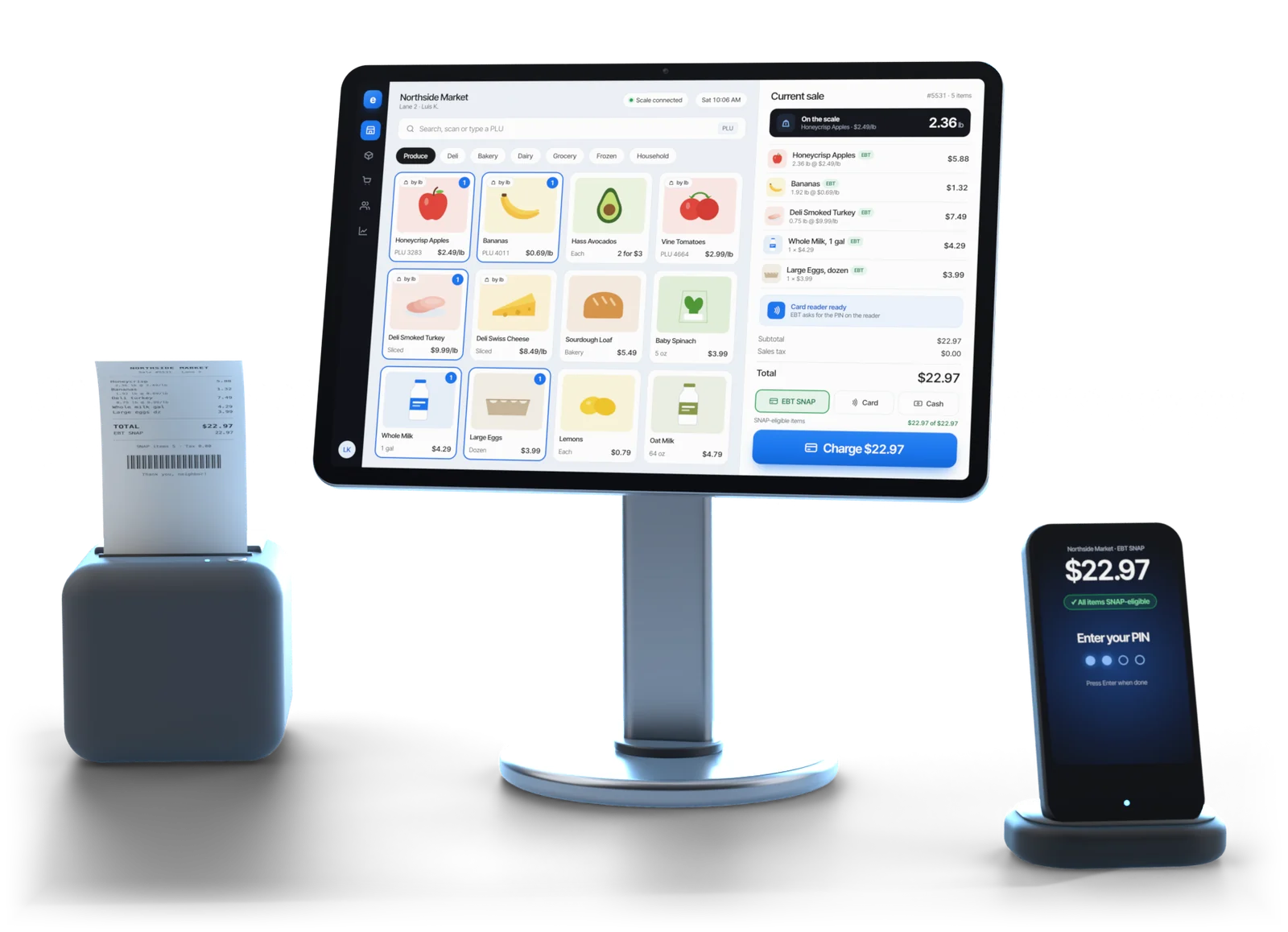
Illustrative example
Your season
Your season, start to finish
In a specialty shop, the money is made or lost when you buy. Esplanda follows every item through the season, so you can change course while it still pays.
Before the season
Each item sits in its category and season, so a spring jacket is compared with other spring jackets, not with socks, and a snow shovel in November with last November's. You set your limits once, including the deepest discount, the margin floor and the largest order Esplanda may prepare.
In season
Sell-through by item, category and week, against the same weeks last year. Winners you under-bought show up while a reorder placed now would still arrive in time to sell. Vendor reorders are drafted with a reason on every line: approve, edit or say no.
See our retail inventory management software and purchase order software.
Late season
The losers you keep rebuying: items reordered out of habit that haven't earned their place in two seasons. And the cash parked on the floor: stock past the point where it will sell at full price. That stock is what the markdown check is for.
After the sale
With Marketing — Do It Yourself ($199 a month per location), Esplanda prepares a follow-up tied to what a first-time buyer bought, while it still means something, and a win-back inside your discount limit for a regular who drifts from their own rhythm. Later you see what each one earned: how we measure results. See our retail loyalty program software.
Markdowns
When to mark down, item by item
Mark an item down at the point where the cash you can still recover starts falling faster than the discount costs you. That point usually comes earlier than instinct says: the deepest markdowns land on items that stopped selling weeks before anyone acted.
- One item, one week, one percentage. Worked out from sell-through, time on the floor and the item's season, compared with how similar items sold before. Not a store-wide sale that discounts what would have sold anyway.
- The markdowns not to take. When a discount would give away more margin than it wins back, Esplanda says so and shows the math.
- Your prices, your call. Never below the margin floor you set, and no price change goes through unless you approve it or have allowed it in advance inside your limits. Read why Esplanda is safe to trust.
Illustrative example
Buying review
Where your buying money actually went
Most shops know what they spent on a season, not what it returned. Esplanda's buying review shows where your open-to-buy went, by category and by vendor, in time to change the next order.
| What it reports | The decision it supports |
|---|---|
| Sell-through at full price, by category | Which categories deserve more of next season's budget |
| Realized margin after markdowns | Which categories look good on paper and aren't |
| Weeks of cash tied up | Which vendors you are quietly financing |
| Reorder-in-season opportunities | The winners you can still buy more of while it matters |
| Repeat rate by first item bought | Which products bring customers back, not just which ones sell |
The buying review, and what each markdown recovered, live in your business reporting software.
What is missing from your shelves. Esplanda finds products selling in your area that you don't stock, each with an estimated value, so the list is ranked rather than long. Four right additions beat forty hopeful ones on a fixed open-to-buy: see our assortment planning software.
Your register
Your retail store POS, on the floor and online
Shoppers try things on, change their minds and ask whether you have it online. Esplanda POS keeps up, and every sale lands in the numbers your buying runs on.
- Ring up anywhere. Desktop at the counter, iOS and Android on the floor.
- Park and recall. A shopper goes back to try another style? Hold the sale, serve the line, then recall it.
- Mix-and-match deals. “Any three tees for one price” applies itself, and the discount is recorded.
- Loyalty. Points earned and redeemed in store and online, from one customer list built from register sales.
- Keeps selling offline. Internet down on a Saturday? The register keeps ringing, then syncs.
- One stock count. Web orders and counter sales share the same stock and the same customer record: see our POS with online ordering.
Your listings and holiday hours are kept right, and your email, texts, social posts and Google, Meta and TikTok ads run inside the caps you set, with ad spend on your own card, never marked up, all with Marketing — Do It Yourself. Grow My Business ($699) contains it, so the two are never billed together. See our local SEO software.
Also in the same system, each a paid tool you add on its own: review replies in your voice with Reviews & Reputation ($79 a month), the AI receptionist for “do you have it?” calls (AI Phone, $149 a month with 500 answered minutes, then 20¢ a minute, capped at 1,000 minutes until you approve a top-up), web chat with the AI Chat & Order Helper ($29 a month, first 90 days free), Books & Expenses for the profit and loss ($99 a month) and Employee Scheduling & Attendance for the floor rota ($49 a month), on a retail scheduling app your team opens every shift.
Switching
Keep the register you have, or use ours
On Square, Clover, Lightspeed or KORONA? Keep it, connected through our POS integrations. Or move to Esplanda POS, which is free: one system, so there's no product matching and no nightly reconciliation. See the full POS system with inventory management, or compare Square alternatives.
Moving your retail store POS over takes an item-list export from your old register or a spreadsheet, a scanner check on every rack and both registers side by side, free for up to 30 days. Switch in a quiet week, not mid-season.
Card processing is optional: keep your processor, with every software price the same on it, or take cards through Esplanda, a reseller for First American Payment Systems (a Deluxe company), from 2.79% + $0.10 in person and 2.89% + $0.30 online. Your rate is set when First American approves your account; under a $20 average sale, compare on the per-transaction fee.
Choosing a retail POS
How to choose a POS system for a small retail store
Six checks to run on any retail POS system before you sign, and what Esplanda does on each.
Sells where you sell
Desktop at the counter, iOS and Android on the floor, and a website that shares one stock count and one customer record with the shop.
Keeps up with browsing
A shopper goes back to try another size? Park the sale, serve the line, then recall it.
Deals and loyalty built in
“Any three tees” prices itself, points are earned and redeemed in store and online, and every discount is recorded.
Shows what sells, by season
Sell-through by item, category and week against the same weeks last year, so winners are reordered while a new order still arrives in time.
Times every markdown
One item, one week, one percentage, worked out from sell-through and the item's season, with a warning when a discount would give away more than it wins back.
Lets you switch on your terms
Keep Square, Clover, Lightspeed or KORONA connected, or move to Esplanda POS, which is free, in a quiet week.
Built for
Who Esplanda is built for
Built for independent shops
- Independent retail stores: boutiques, gift, shoe, home, toy, sporting-goods and hardware shops, one location or a few. Two or more shops sit in one view with multi-location inventory management.
- Owners who buy ahead for a season and want to know early what to reorder and what to mark down.
- Shops that sell at the counter and online, from one stock count.
- Shops that also sell a service, such as repairs: our service business management software answers the calls you miss and follows up on every quote.
Works with what you have
- Your register: keep Square, Clover, Lightspeed or KORONA through the season, connected to Esplanda, with Esplanda POS free whenever you switch.
- Your processor: every software price is the same on the processor you have.
- Your gear: use the counter hardware you already own.
Pricing
Esplanda POS $0 · Your website $0 · 99¢ an online order, capped at $299 Migration and 30 days of parallel running come free with Esplanda POS, and email and chat support are free. Paid tools are priced one by one, per location per month, with no setup fee, no contract and no per-user fees. No card needed to start.
See full Esplanda pricing.
Questions
Retail POS questions shop owners ask
What is a retail POS system?
A retail POS system rings up sales and keeps the stock count for a shop, at the counter, on the floor and online. Esplanda's retail POS does that from one catalog and also runs the buying, reorders and markdowns behind it, with Esplanda POS free and you approving what matters.
What should a POS system for a retail store do?
A POS system for a retail store should ring sales fast at the counter and on the floor, hold a sale while a shopper keeps browsing, handle loyalty and mix-and-match deals, keep selling when the internet drops and share one stock count with your online store. Esplanda POS does all of that on desktop, iOS and Android.
Does Esplanda work as a boutique or clothing store POS?
Yes. Boutiques, clothing and shoe stores ring sales on Esplanda POS and sell online from the same catalog. It works as a gift shop POS too, and for home, toy, sporting-goods and hardware shops. Behind the register, Esplanda tracks sell-through by item and category, flags what to reorder while the season is still running and tells you when a markdown will recover the most cash.
When should I mark down inventory?
Mark an item down when the cash you can still recover starts falling faster than the discount costs you. Esplanda works that point out for each item from sell-through, time on the floor and the item's season, and recommends a specific week and percentage. It also tells you when a markdown would lose money.
Do I have to replace my shop's register?
No. Keep the register you have, or use ours. A Square, Clover, Lightspeed or KORONA register stays connected to Esplanda. Esplanda POS is free and keeps one stock count across your shop and your website. If you do switch, do it in a quiet week, not in the middle of the season.
How do I switch from my current retail POS?
Export the item list from your old register, or use a spreadsheet, check every rack with a scanner and run both registers side by side, free for up to 30 days. Esplanda takes Square, Clover, Lightspeed and KORONA exports, and exactly what moves across is set out before you sign: see switching without retyping the catalog.
How much does a retail POS system cost?
Esplanda POS is free, with the migration and 30 days of parallel running, and so are loyalty and a website that shares one stock count with the store: free hosting, then 99¢ per online order, never more than $299 in a month. Esplanda POS runs on the computer, tablet or phone you already have, and tested POS hardware is a one-time purchase if you want new gear. You add only the paid tools you want, each priced on its own per location per month, with no setup fee, no contract and no per-user fees, and every software price is the same on the processor you already have. Every current price is on the Esplanda pricing page.
How do I get one-time customers to come back?
Follow up on what they actually bought while it still matters, and treat lapsed regulars as a separate problem. With Marketing — Do It Yourself, $199 a month per location, Esplanda prepares a follow-up tied to each first-time buyer's purchase, drafts win-backs for regulars who drift, inside your discount limit, and shows who is drifting and which offers worked.
Run your shop on one system
Start free today, or book a demo and we'll walk through Esplanda on a shop like yours.
Esplanda POS and your website are free to start, with no card needed. Add paid tools only when you want them.
