
Keep yours
Keep the register you have
Running Square, Clover, Lightspeed or KORONA at your lanes? Esplanda connects to it, Esplanda POS stays free for the day you switch, and your EBT setup stays where it is.
Grocery stores
A free POS that weighs produce, rings PLUs, deals and deposits, even offline, and flags markdowns before the sell-by date.
Esplanda POS and your website are free to start, with no card needed. Add paid tools only when you want them. Not ready to start? Get your free price check.
Illustrative example
At the lane
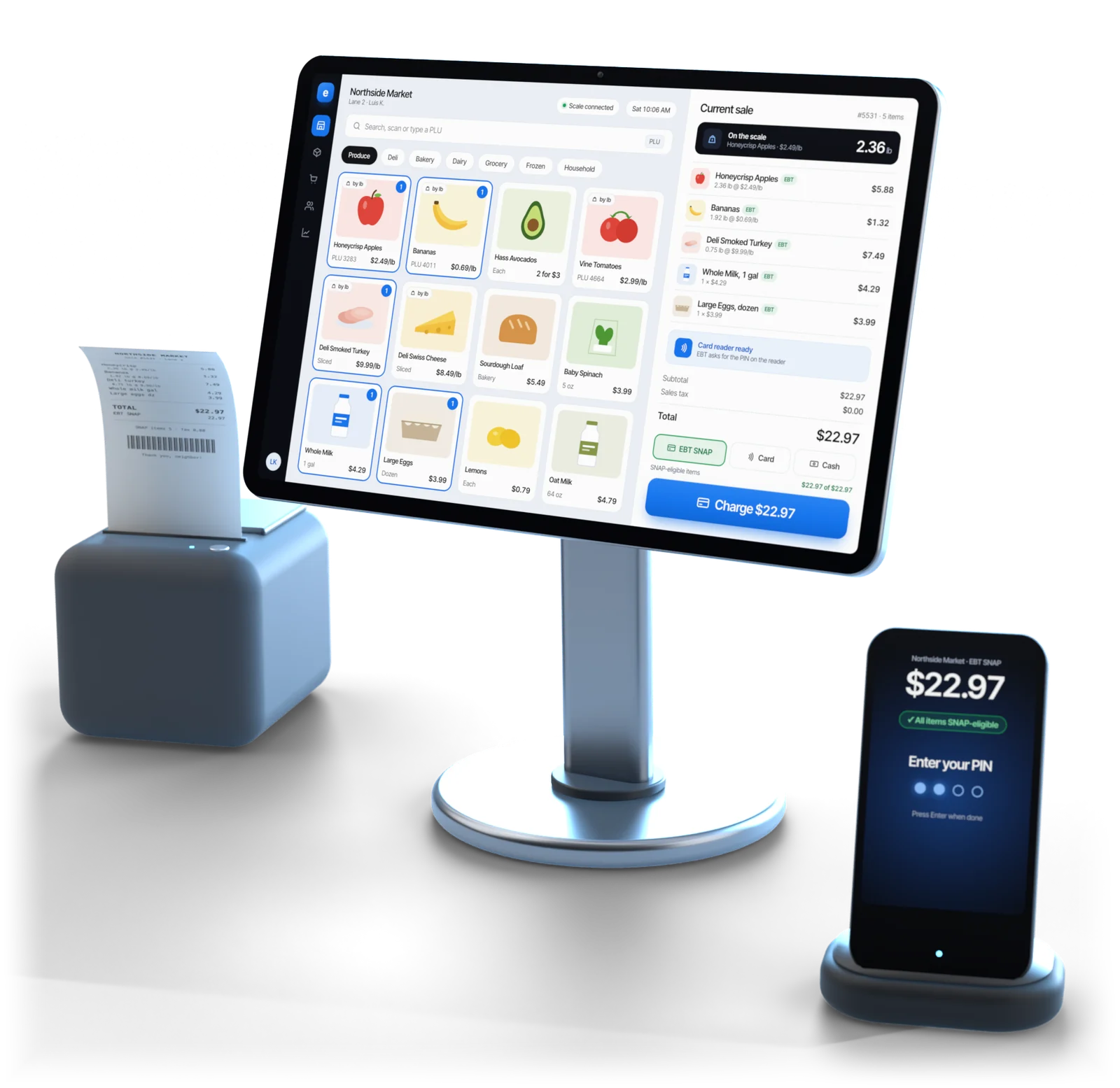
Bananas by the pound, a yogurt deal, a loaf on markdown and a 12-pack with its deposit, rung right so the line keeps moving.
Illustrative example
Connect a scale and the weight lands on the sale line. No scale at a lane? Staff key it in, and the sale notes that.
Produce PLUs, department keys and price-embedded barcodes from the deli and meat counter.
Mix-and-match, BOGO, quantity breaks and case prices, with every discount recorded.
Items near their date are flagged on the markdown ladder you set, while they still sell.
Can and bottle deposits by container, and tax by item or category, set once.
Every lane keeps ringing and weighing when the internet drops. Desktop at the lanes; iOS and Android on the floor and dock.
EBT, SNAP and WIC stay on the setup you run today. Keep that equipment at the counter, or keep your current register connected through our POS integrations.
Ordering
A small grocery carries thousands of items that don't behave alike. Esplanda's grocery store inventory management gives each kind its own rule.
Forecast + safety stock
Ordered to forecast with safety stock, because running out costs the item and often the whole basket. See our demand forecasting software.
Demand + markdowns
Ordered to expected demand, not a standing par, with markdowns on the ladder you set, such as three, two and one day out.
Watch, then delist
Ordered carefully, watched for dead stock and flagged when the shelf space is worth more than the item.
Public prices nearby
Shoppers judge the store by a few dozen staples. Esplanda shows where yours sit against nearby stores, so you stay sharp there and hold margin on the rest. Public prices only, and every price you set stays your own. Daily tracking is the Competitor Intelligence add-on, $299 a month. See what comparable grocers near you charge with the free price check, or read more on competitor price tracking.
Where the leaks are
Shrink by department. The stock you should have against what's counted, department by department, so you know where to look first.
Deliveries checked by photo. Photograph the invoice and Esplanda matches it to the order, flagging short deliveries and cost increases, free in Esplanda POS. More on invoice scanning software.
Supplier orders arrive drafted, with lead times, case packs, minimums and a reason on every line, and orders over your limit wait for you. See our purchase order software, inventory management for small business and why Esplanda is safe to trust.
Grocery reporting
When a good year is counted in single points of margin, four numbers do most of the work. Esplanda tracks each one from every lane and tells you which is moving against you before the month closes.
| The number | Why it decides the year | What Esplanda does when it moves |
|---|---|---|
| Blended gross margin | One point across the whole basket is often the difference between a profit and a flat year. | Shows which departments dragged it, and whether pricing, mix or cost creep did it. |
| Stock turns | Cash sitting on the shelf isn't buying the next thing that sells. | Flags the slowest-turning departments and the items to stop rebuying. |
| Waste on perishables | Spoiled stock quietly eats the margin the rest of the store earned. | Re-forecasts fresh orders and recommends earlier markdowns. |
| Basket size | Traffic is hard to change; what each visit is worth is not. | Finds the items that already sell together, and the pairings that should. |
Each move arrives as a specific action with its dollar effect, and the result is recorded afterward. The numbers live in our business reporting software. Books & Expenses ($99 a month) keeps the profit and loss and cash flow current from the same sales, and Employee Scheduling & Attendance ($49 a month) builds the rota against forecast and hands clean hours to the payroll provider you already use.
Online
Esplanda is grocery delivery software that works from the catalog your lanes already use.
See our POS with online ordering for pickup and delivery.
Your register
Keep yours
Running Square, Clover, Lightspeed or KORONA at your lanes? Esplanda connects to it, Esplanda POS stays free for the day you switch, and your EBT setup stays where it is.
Or use ours
With thousands of items, one catalog means no product matching and nothing to reconcile at night. See the full POS system with inventory management.
The catalog is the real work: produce codes, weighed items and departments need the most care.
Export your catalog from Square, Clover, Lightspeed or KORONA, or a spreadsheet from any other register.
Set departments and PLUs: produce, deli, dairy, bakery, frozen and grocery, with PLU codes and weighed items marked.
Connect the trade-approved scale you already use, plus POS hardware at each lane: scanners, receipt printers and cash drawers, tested first.
Set deposits, tax and deals so the register applies them every time, not a cashier's memory.
Run both side by side and compare daily totals, free for up to 30 days; a gap is usually a catalog fix.
Go live. Take the old register off the counter, one lane at a time if you like.
Card processing is optional. Keep your processor, with every software price the same on it, or take cards through Esplanda, a reseller for First American Payment Systems (a Deluxe company), from 2.79% + $0.10 in person and 2.89% + $0.30 online. Your rate is set when First American approves your account; under a $20 average sale, compare on the per-transaction fee. More on credit card processing for small business.
Built for
Migration and 30 days of parallel running come free with Esplanda POS, which runs on the computer, tablet or phone you already have · Email and chat support free · Paid tools priced one by one, per location per month · No setup fee, no contract, no per-user fees · No card needed to start
See full Esplanda pricing.
Questions
The best POS system for a grocery store weighs produce, rings PLU codes and deals quickly, and keeps selling when the internet drops. Esplanda POS does all three on desktop, iOS and Android, and it is free. The same system plans orders, flags markdowns and tracks shrink.
One that weighs produce, rings PLUs, deals and deposits fast and keeps selling offline, and that also plans the ordering across thousands of items. Esplanda POS does both jobs in one system on desktop, iOS and Android, and it is free. Or keep the Square, Clover, Lightspeed or KORONA register you already have, connected to Esplanda.
Every sale takes the item off the stock count, and Esplanda orders each kind of stock by its own rule: fast movers to forecast with safety stock, perishables to expected demand with markdowns before the sell-by date, and slow movers watched for dead stock. It also compares the stock you should have, opening count plus deliveries minus sales, with what's counted, department by department, so you see where shrink is growing.
Yes. Connect a scale at the lane and the weight goes straight onto the sale line for items sold by weight. Where no scale is connected, staff key the weight and the sale records that it was keyed. Scale rules come from your state, so use a scale approved for trade.
EBT, SNAP and WIC stay on the setup you run today. Accepting SNAP takes your store's FNS authorization and EBT equipment certified for it, so keep that equipment at the counter, or keep your Square, Clover, Lightspeed or KORONA register connected to Esplanda. Esplanda POS is free whenever you switch.
Esplanda plans perishable orders to expected demand instead of a standing par level, flags items heading toward their sell-by date and suggests markdowns early enough to recover cash.
No. If you switch, PLU codes, weighed items and price-embedded barcodes move over in the switching steps; EBT, SNAP and WIC stay on your counter setup. Keep the register you have, or use ours: Esplanda connects to Square, Clover, Lightspeed and KORONA, and Esplanda POS is free.
Esplanda POS, which weighs produce and rings PLU codes, deals and deposits, is free, with the migration and 30 days of parallel running, and runs on the computer, tablet or phone you already have. Your website is free too: free hosting, then 99¢ per online order, never more than $299 in a month. You add only the paid tools you want, each priced on its own per location per month, with no setup fee, no contract and no per-user fees, and every software price is the same on the processor you already have. Optional card processing through First American Payment Systems (a Deluxe company), which Esplanda resells, starts at 2.79% + $0.10 in person and 2.89% + $0.30 online, with your rate set when First American approves your account. Every current price is on the Esplanda pricing page.
Start free today, or book a demo and we'll walk through Esplanda on a store like yours. Not ready to start? Get your free price check to see what comparable grocers near you charge.
Esplanda POS and your website are free to start, with no card needed. Add paid tools only when you want them.
